 Minimal Introduction About CSS 😉 CSS means Cascaded Style Sheet which is a style sheet language used to describe the layout (look and feel) of a document in Markup Language. CSS is designed primarily to enable the separation of document content (written in HTML or a similar markup language) from document presentation, including elements such as the layout, colors, and fonts.
This separation can improve content accessibility, provide more flexibility and control in the specification of presentation characteristics, enable multiple pages to share common formatting, and reduce complexity and repetition in the structural content (such as by allowing for tableless web design).
CSS can also allow the same markup page to be presented in different styles for different rendering methods, such as on-screen, in print, by voice (when read out by a speech-based browser or screen reader) and on Braille-based, tactile devices. While the author of a document typically links that document to a CSS style sheet, readers can use a different style sheet, perhaps one on their own computer, to override the one the author has specified.
CSS specifies a priority scheme to determine which style rules apply if more than one rule matches against a particular element. In this so-called cascade, priorities or weights are calculated and assigned to rules, so that the results are predictable. The CSS specifications are maintained by the World Wide Web Consortium (W3C).
Internet media type (MIME type) text/css is registered for use with CSS by RFC 2318 (March 1998). Its has gone through different version till date. Its lates version is CSS 3 which has been under development since December 15, 2005. The minimal topic that one should know to use CSS 3 are written in structured way here and from the next post, we will try to explain all topics one by one.
1. External, Internal, Inline
2. Syntax h1{color:#FFFFFF;} or selector {property:value}
3. ID vs Class
4. Styling
- Text styling
i. Color ii. Letter-spacing iii. Word-spacing iv. Text-align (left, center, justify, right) v. Text-indent vi. Text-transform (uppercase, lowercase, capitalize) vii. Text-decoration (none, overline, line-through, underline, blink) viii. Line-height
- Font
i. Font-family ii. Font-style (normal, italic, oblique) iii. Font-size iv. Font-weight v. Font-variant (normal, small-caps)
- List
i. List-style 1. List-style-image 2. List-style-type (circle, square, alpha, roman, latin, decimal-leading-zero) 3. List-style-position (inside, outside)
- Table
- Links
i. a:link ii. a:visited iii. a:hover iv. a:active
- Background (color, image, position, attachment (scroll, fixed),repeat)
i. Background-color:#colorcode ii. Background-image: url(‘path of image’) iii. Background-position:left top/left center/left bottom/x pos y pos iv. Background-attachment:scroll/fixed/inherit v. Background-repeat: repeat/repeat-x/repeat-y/none 5. Box Properties
- Model
- Border
- Margin
- Padding
- Outline
6. Dimension
- Height
- Width
- Max-height
- Min-width
7. Visibility and display
- Visibility:hidden collapse(useful for table. Works in IE if !doctype is defined)
- Display: block or inline or none
8. Positioning
- Fixed (fixed position is positioned relative to the browser window)
- Relative (relative positioned element is positioned relative to its normal position.)
- Absolute (An absolute position element is positioned relative to the first parent element that has a position other than static. If no such element is found, the containing block is <html>)
- Static (default)
- Z-index
9. Float and clear
- Float (left, right, none, inherit)
- Clear (left, right, both, none, inherit)
10. Pseudo class
- :focus (ex: input:focus { color:green;})
- :first-child (ex: p:first-child{color:blue;})
11. Pseudo elements
- :after
- :before
- :first-letter
- :first-line
12. Opactiy (css3)
- Opacity: 0-1 (FF)
- filter:alpha(opacity=x). (for IE x=0-100)
Follow this link for CSS examples
CSS
- External, Internal, Inline
- Syntax h1{color:#FFFFFF;} or selector {property:value}
- ID vs Class
-
Styling
- Text styling
i. Color
ii. Letter-spacing
iii. Word-spacing
iv. Text-align (left, center, justify, right)
v. Text-indent
vi. Text-transform (uppercase, lowercase, capitalize)
vii. Text-decoration (none, overline, line-through, underline, blink)
viii. Line-height
-
- Font
i. Font-family
ii. Font-style (normal, italic, oblique)
iii. Font-size
iv. Font-weight
v. Font-variant (normal, small-caps)
-
- List
i. List-style
1. List-style-image
2. List-style-type (circle, square, alpha, roman, latin, decimal-leading-zero)
3. List-style-position (inside, outside)
-
- Table
- Links
i. a:link
ii. a:visited
iii. a:hover
iv. a:active
-
- Background (color, image, position, attachment (scroll, fixed),repeat)
i. Background-color:#colorcode
ii. Background-image: url(‘path of image’)
iii. Background-position:left top/left center/left bottom/x pos y pos
iv. Background-attachment:scroll/fixed/inherit
v. Background-repeat: repeat/repeat-x/repeat-y/none
-
Box Properties
- Model
- Border
- Margin
- Padding
- Outline
-
Dimension
- Height
- Width
- Max-height
- Min-width
-
Visibility and display
- Visibility:hidden collapse(useful for table. Works in IE if !doctype is defined)
- Display: block or inline or none
-
Positioning
- Fixed (fixed position is positioned relative to the browser window)
- Relative (relative positioned element is positioned relative to its normal position.)
- Absolute (An absolute position element is positioned relative to the first parent element that has a position other than static. If no such element is found, the containing block is <html>)
- Static (default)
- Z-index
-
Float and clear
- Float (left, right, none, inherit)
- Clear (left, right, both, none, inherit)
-
Pseudo class
- :focus (ex: input:focus { color:green;})
- :first-child (ex: p:first-child{color:blue;})
-
Pseudo elements
- :after
- :before
- :first-letter
- :first-line
-
Opactiy (css3)
- Opacity: 0-1 (FF)
- filter:alpha(opacity=x). (for IE x=0-100)
Follow this link for CSS examples
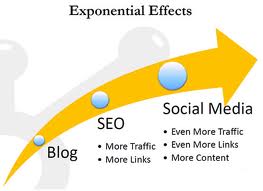 Last 2-3 years have marked a unanimous growth of both SEO and social media websites. This rise should have, and ultimately has, sparked the debate on the ‘better option’. When it comes to the question, for online businesses, on which to rely more; SEO marketing or social media websites, they are perplexed.
 When you discuss about online life and PHP development, having an efficient and reliable,
  Magento is one of the most innovative and fastest developing, flexible content management systems which effectively manages and bridges the traffic between design and online sales. It comes with a great load of features. It has a great feature-packed admin panel with escalating collection of extensions which will truly help your site. With its flexibility, you can easily manage multiple websites and more than 50 payment gateways. It is available in various editions, but if you are not technically very sound at PHP development, the free downloadable ‘Community’ edition will be more suitable for you.


 Zen Cart is a greatly accessible shopping cart which was branched out from osCommerce. It has extra architectural augmentations with supplementary features. It includes features like newsletter manager, multiple sales and quantity discounts, multiple display modes, etc. One of the most significant features is its gift certificate module which enables the users to generate, dispatch and even control digital coupons for various offers.
Visitor Rating: 5 Stars