Course Introduction
The Program covers all aspects of Information Security and Ethical Hacking, enabling one to become an Information Security Expert. The current training course is mainly focused at providing concept oriented and hands-on practice with real time scenarios which includes latest updates in InfoSec.
WHO SHOULD ATTEND
Not only the students from Students from Computer Science / IT / Electronics, People who are having passion towards Learning of Information Security Education Can Enroll in this course.
PREREQUISITES
Students who are attending for this course should need to have at least some basic knowledge on following topics
TCP/IP Concepts
Operating Systems
Familiar with any one programming Language
Course Duration: 50 hours
Source of teaching: Online / Classroom training Labs
The course includes Complex labs where students will be provided with Pre-configured Virtual Machines, Entire Course Labs are been hosted in cloud running on different Operating Systems to our students with different set of network configuration. Students need to solve each and every module which is assigned by the instructor and need to submit back to him after the end of the every module. At the end of the course Student will be assigned with target where the student need to solve the task within the allotted time.
Student Requirements
Students are required to bring their own laptops with a minimum 4 GB RAM installed.
VMware Workstation / Virtual Box
Wired / Wireless Network Support
At least 40 GB HD free
USB 2 or higher support
Samsung Galaxy SII and SIII: Prone to a New Security Vulnerability In a recent demonstration by a security researcher, it was found out that Samsung Galaxy SII and SIII smart phones were vulnerable to being remotely wiped off their memory. In this regard, for the owners of these devices the precursor is here, you may want to watch your ways, especially when opening internet links that you receive through QR, NFC or Push messages.
A researcher in the Security in Communications department at Technical University Berlin, Ravi Borgaonkar, manifested this particular vulnerability at the Ekoparty security conference, Argentina. According to him, the manner in which the devices make use of Unstructured Supplementary Service Data leaves them conveniently open to exploitation through a single line of malicious code embedded in a web page. The Unstructured Supplementary Service Data (also USSD) is basically what is used to transmit messages between an application server and a phone.
How does that work?
The malicious code as discussed above can be made use of in order to trigger the factory reset for the Galaxy SIII device. If the code is embedded in a single frame it will automatically lead a factory reset that does not have to be initiated by the user. Nonetheless, merely browsing a website with the embedded code does not result in triggering the reset, rather opening it through NFC, WAP Push SMS or QR does. As soon as the website link in the message opens, the wipe is started.
The techie take
Some techie responded rather optimistically to the news and thought that the weakness would not do much damage. The underlying argument was that many hackers will not go into frenzy over wiping a few phones, considering many consumers use Cloud Backups with their devices and it will be an exercise in futility as the users will simply be able to reverse the oh-so clever move. Still, the concern was that is there anything more that can come out from this exploit, because if there is than not opening a link that you didn’t call for would be a better idea.
The company’s response
Following the entire kerfuffle over the issue, Samsung finally responded and claimed that the issue was resolved. A spokesperson from the South Korean company explained that the vulnerability was now patched but failed to mention when exactly was it fixed and which version of the software was secure for now.
All that was given out was an assurance to the consumers that the recently discovered security weakness concerning Galaxy SIII was patched through a software update, recommending all the users of this device to download the latest software update. It can be done simply and rapidly using the over the air service, according to the company.
While that might be a reason for Galaxy SIII owners to sleep well at nights, what about the ones with other smart phones, the SII inclusive. According to the rumors the problem stemmed out from the TouchWiz UI as opposed to merely the Galaxy SIII. Well, the company has not responded in this vein, so for now, the Galaxy SIII users who feel reassured can sleep well and others can, perhaps take pill or go on trying to dodge the bullets of this demon as they do Android spy apps, mobile spy software and the like.
Author Bio:James Clark has been in the business of providing quality information on cell phone monitoring for a while now. He's an expert at all things spyware, but his main forte is iPhone spyware which has captured the interest of many.
I know it’s not a new topic to discuss and it has lots of online contents already available over the net. But Then I thought it would be useful to this site’s visitors and can have online repository on vim most commonly used commands.
This post has only most commonly used vim commands which we use in our day today development activities. This post will be very helpful for those who wish to learn vim editor from the scratch and it can be useful for all other vim users too.
So, first open the file by using vim filename (single file at one time). I will be posting very soon about manipulation on multiple files using vim editor.
Teamviewer: an online screen sharing and remote assistance software
What is Screen sharing and remote assistance?
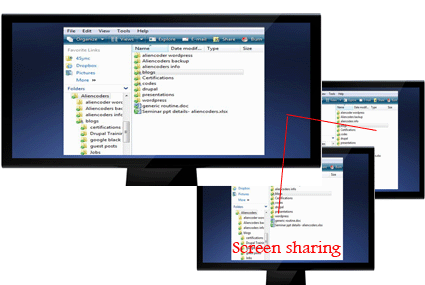
Screen Sharing
One can share the content of his/her computer to the other person using an application. Other person can see the same content whatever the first person wish to share either whole computer or a part of it. Like Browsers only or media players only etc.
Remote Assistance
When you wish to show your computer screen to others either in Local Area Network or through internet for various reasons, you need screen sharing application. If it is for the purpose to troubleshoot any computer related issues or file sharing or to help the other person sitting at far distance (connected through internet), we term it Remote Assistance
What is TeamViewer?
TeamViewer is an online screen sharing and remote assistance application which was first released in 2005 by a German Company GmbH.
It was voted 5 out of 5 by C|Net and 4.5 out of 5 by PCMag and currently it’s in #1 rank under Remote Assistance Application at download.com
It is free to use for personal use but you need to pay some extra bucks to make it professionally. Rates are different for different purpose like business or corporate. You can do video chatting through it too! One can share files using drag and drop functionality or you can develop your own secured private network (VPN).
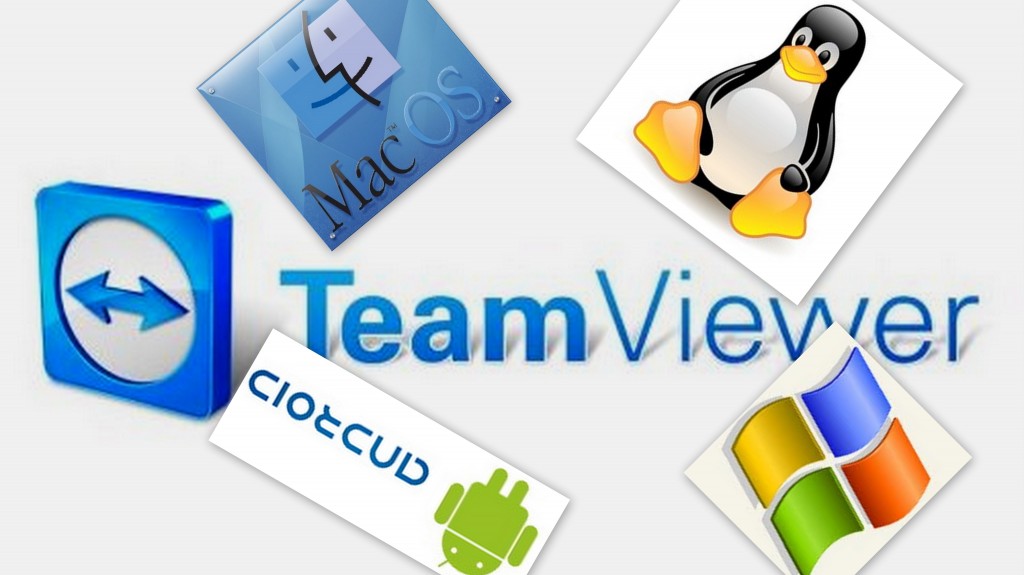
It supports more than 30 languages and is available in all Operating systems i.e.
All Windows Platforms
Linux and other x86 rpm based devices (you may need to use wine)
Mac
Andoid
iOS
Then, it’s a perfect solution for all of your ideas. Enjoy it!
Why Teamviewer?
If you want to
share your system online for troubleshooting of your system or
want to demonstrate through presentation (ppt) to your client/students or
want to have an online meeting for any coaching classes or
want to have serious discussion online for a project with the team members
Features of TeamViewer (Advantages and Disadvantages)
Pros
It’s easy to use even for non-technical people
It’s free for personal use
You can do video chat too!
You can troubleshoot others system while sharing the screen (through internet connection)
It’s easy to use file transfer through drag and drop functionality (from version 7)
One can remotely access through smart phones
It is very easy to install and fast to connect to other systems.
You can customize the whole setting according to your convenience and it’s easy to do that
Cons
V7.x can connect to lower versions if he needs to access lower version TeamViewer based system but vice-versa doesn’t work
File sharing and VPN connection is still little complex for common man
Version History and download links Version History
It’s first release was way back in 2005 and gained popularity in no time. Latest versions are:
Windows: v7.0.12979 (3.4 MB) added on 19th March, 2012
Linux: v7.0.9348 (17.2 MB) added on 19th March, 2012
Android: v7.0.335 (1.7 MB) updated on 13th March, 2012
iOS: v7.0.9413 (19.5 MB) added on 7th February, 2012
How to use it and how it works?
Everything from installing the software to the final setup has been described in this video which uses the slides too posted atslideshare.
How this Meeting feature works here?
To start an online meeting the presenter gives the Meeting ID to their participants. They can join the meeting by using the TeamViewer full version or by logging on to http://go.teamviewer.com/ and enter the Meeting ID. It is also possible to schedule a meeting in advance.
How much secured this Teamviewer is?
TeamViewer uses RSA private/public key exchange (1024-bit) and AES (256-bit) session encoding.
In the default configuration, TeamViewer uses one of the servers of teamviewer.com to start the connection and then do routing of traffic between the local client and the remote host machine. However in 70% of the cases after the handshake a direct connection via UDP or TCP is established. UDP connection makes it much faster.
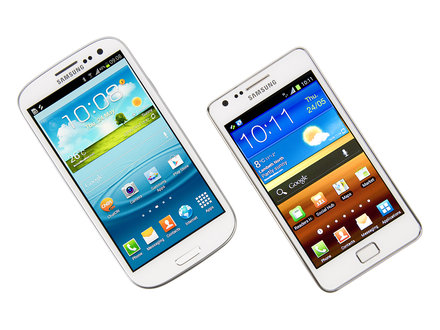 In a recent demonstration by a security researcher, it was found out that Samsung Galaxy SII and SIII smart phones were vulnerable to being remotely wiped off their memory. In this regard, for the owners of these devices the precursor is here, you may want to watch your ways, especially when opening internet links that you receive through QR, NFC or Push messages.
 Teamviewer: an online screen sharing and remote assistance software
 Remote Assistance
 It supports more than 30 languages and is available in all Operating systems i.e.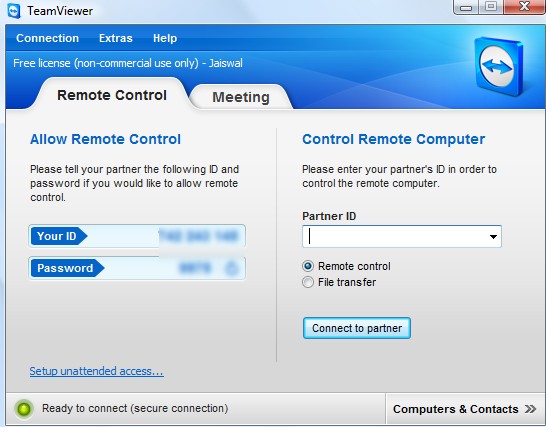
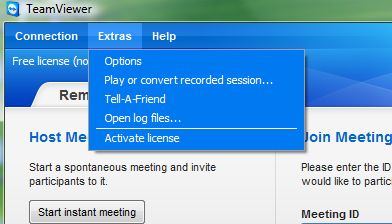 Features of TeamViewer (Advantages and Disadvantages)

Visitor Rating: 5 Stars