This video covers all the basic terminology which a Drupal users should know. I installed Drupal 7.15 online using bluehost web hosting services and then explained all the options which an Administrator will see after logging in.
Here is our previous video on youtube:
One of the regular important things, we do using our computer is burning CD/DVD and good burning software is not freely available always. Nero CD/DVD burning software is not free and its file size is little bigger too. It’s around 220MB approx.
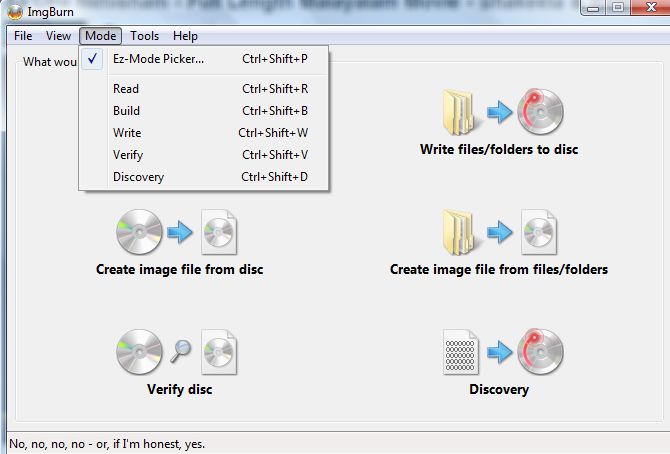
But there are few CD/DVD burning applications are there in the market which is free of cost. I chose imgburn way back in 2008 and till then I prefer to use this application for any kind of CD/DVD or image burning related work.
It’s of 6 MB approx and it was launched in 2005. Its current version is 2.5.7.0 and you can download it from the given link. Download from any of the listed mirror links.
I have tried to explain its features, pros and cons using presentation and by showing the working steps about imgburn. Hope you will like our presentation and video on it.
Teamviewer: an online screen sharing and remote assistance software
What is Screen sharing and remote assistance?
Screen Sharing
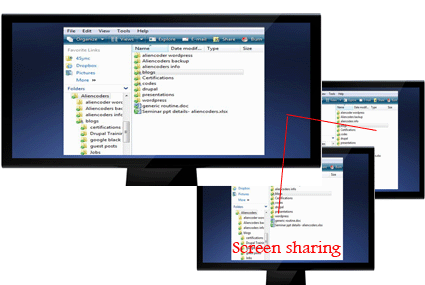
One can share the content of his/her computer to the other person using an application. Other person can see the same content whatever the first person wish to share either whole computer or a part of it. Like Browsers only or media players only etc.
Remote Assistance
When you wish to show your computer screen to others either in Local Area Network or through internet for various reasons, you need screen sharing application. If it is for the purpose to troubleshoot any computer related issues or file sharing or to help the other person sitting at far distance (connected through internet), we term it Remote Assistance
What is TeamViewer?
TeamViewer is an online screen sharing and remote assistance application which was first released in 2005 by a German Company GmbH.
It was voted 5 out of 5 by C|Net and 4.5 out of 5 by PCMag and currently it’s in #1 rank under Remote Assistance Application at download.com
It is free to use for personal use but you need to pay some extra bucks to make it professionally. Rates are different for different purpose like business or corporate. You can do video chatting through it too! One can share files using drag and drop functionality or you can develop your own secured private network (VPN).
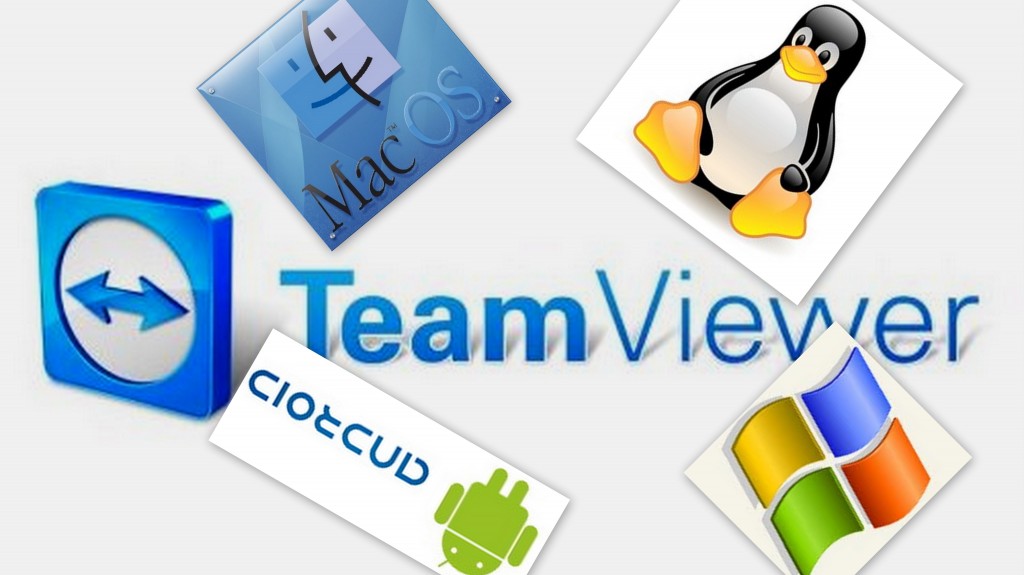
It supports more than 30 languages and is available in all Operating systems i.e.
All Windows Platforms
Linux and other x86 rpm based devices (you may need to use wine)
Mac
Andoid
iOS
Then, it’s a perfect solution for all of your ideas. Enjoy it!
Why Teamviewer?
If you want to
share your system online for troubleshooting of your system or
want to demonstrate through presentation (ppt) to your client/students or
want to have an online meeting for any coaching classes or
want to have serious discussion online for a project with the team members
Features of TeamViewer (Advantages and Disadvantages)
Pros
It’s easy to use even for non-technical people
It’s free for personal use
You can do video chat too!
You can troubleshoot others system while sharing the screen (through internet connection)
It’s easy to use file transfer through drag and drop functionality (from version 7)
One can remotely access through smart phones
It is very easy to install and fast to connect to other systems.
You can customize the whole setting according to your convenience and it’s easy to do that
Cons
V7.x can connect to lower versions if he needs to access lower version TeamViewer based system but vice-versa doesn’t work
File sharing and VPN connection is still little complex for common man
Version History and download links Version History
It’s first release was way back in 2005 and gained popularity in no time. Latest versions are:
Windows: v7.0.12979 (3.4 MB) added on 19th March, 2012
Linux: v7.0.9348 (17.2 MB) added on 19th March, 2012
Android: v7.0.335 (1.7 MB) updated on 13th March, 2012
iOS: v7.0.9413 (19.5 MB) added on 7th February, 2012
How to use it and how it works?
Everything from installing the software to the final setup has been described in this video which uses the slides too posted atslideshare.
How this Meeting feature works here?
To start an online meeting the presenter gives the Meeting ID to their participants. They can join the meeting by using the TeamViewer full version or by logging on to http://go.teamviewer.com/ and enter the Meeting ID. It is also possible to schedule a meeting in advance.
How much secured this Teamviewer is?
TeamViewer uses RSA private/public key exchange (1024-bit) and AES (256-bit) session encoding.
In the default configuration, TeamViewer uses one of the servers of teamviewer.com to start the connection and then do routing of traffic between the local client and the remote host machine. However in 70% of the cases after the handshake a direct connection via UDP or TCP is established. UDP connection makes it much faster.
This video is about Drupal basics for beginners. Those who don't know what is Drupal ? what is CMS? Here is the small introduction on it. Please read before going through this video tutorials.
In this video listed features have been dealt with:
Prerequisites before using Drupal Based CMS.
Small introduction about WAMP (Windows Apache MySQL and PHP)
Drupal’s official website from where you can download Drupal latest version CMS, all modules and themes
After downloading and setting up WAMP , it deals with installation process
some common issues with Drupal while installation like
settings.php file missing, copy default.settings.php and rename it as settings.php in the same folder
8MB memory issue, how to increase it to 16MB
MySQL Database missing problem
After installing, this video deals with little introduction of block, menu, themes and modules
How to post content in blog and forum section
How to make dropdown menu items under Aquia Marina theme
In the next video we will elaborate usages of each and every topic like profiles, taxonomy, pathuato, system logs, file uploads, comments, content type, user management etc.
 One of the regular important things, we do using our computer is burning CD/DVD and good burning software is not freely available always. Nero CD/DVD burning software is not free and its file size is little bigger too. It’s around 220MB approx.
 Teamviewer: an online screen sharing and remote assistance software
 Remote Assistance
 It supports more than 30 languages and is available in all Operating systems i.e.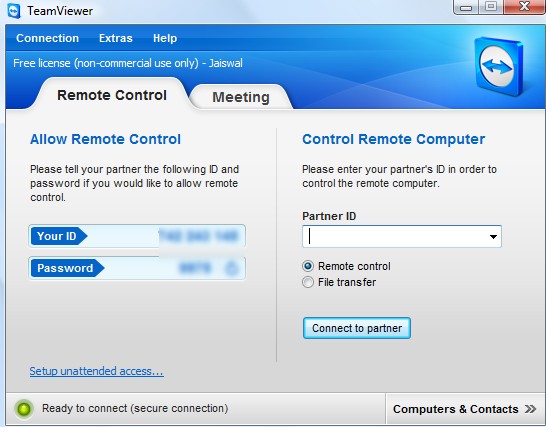
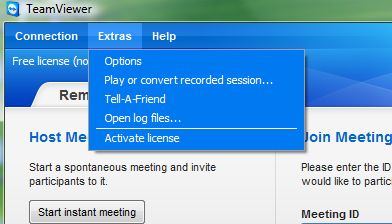 Features of TeamViewer (Advantages and Disadvantages)
