I bought a new Nokia Lumia 620 on 13th of March as my previous phone Nokia X3-02 lost its touch screen once in the warranty period and again after the warranty period. So I decided to buy a 720 but as market release has been delayed I went for 620.
OS: windows 8
Processor name: Snapdragon S4
RAM : 512 MB
Back cam : 5.0 Mp
Front cam : VGA
Price : Around 14,000
On the first day I was most excited and installed lots of applications that were available in the store. Apps developed by Nokia that i like most:
Here Drive
City lens
Cinemagraph
Photobeam
Windows office and linked mail box are good add-ons to this device.Nokia Lumia 620 has two official apps to play the music and videos on the device.one is Nokia music and the other xbox music+videos. Nokia provides a six months xbox music pass to play online music.
You can also install many apps from the store.The User Interface of this device is quite amazing and most of my friends liked the UI and the ClearBlack Display of the device.
Back camera is pretty decent with an auto flash. The front camera is VGA and we can't expect much from it.
The battery went on for one and half day with WiFi,few calls,a few hours of music and with some general operations. I feel battery is also quite decent.
When I speak about touchscreen, I fear a little. Touch is good but I had few temporary problems with the device. One day the right-bottom corner of the screen didn't work for 15 minutes or so. when i get a call it asks me to slide up the screen to show options(answer,reject). Few times(5 to 6) since I bought, the screen didn't slide up and i had to press lock screen twice and then I was able to slide up the screen. The other day screen just went off and nothing was working. I had to remove my battery and switch on the device, after which it worked fine. I don't know the problem is only with my device.
The volume key buttons on the right side of the device works even when you lock the device….It may be a feature or a fault.
Most of the apps are good to go. This is my over all experience with 620 since 13th March. Please comment if you have any issues.
Gnu Privacy Guard or GnuPG or popularly known as GPG is a GPL Licensed alternative to PGP (Pretty Good Privacy) and its openPGP complaint program for *nix people based on rfc 4880. It is part of GNU software project started in 1991 by Werner Koch and majorly funded by German Government. Download its pdf format from here.
Its basic use is to send encrypted mails or files to the recipient who can decrypt these using its private key. It is based on public and private key mechanism for encryption/decryption. We can encrypt any of our data using our own key pair and send it to the person who can read the message if he has the proper key to decrypt it! Many people use public key generated by gpg to verify his email signature too!
It uses following algorithm for various purposes used for safe message communication:
Pubkey: RSA, RSA-E, RSA-S, ELG-E, DSA
Cipher: 3DES, CAST5, BLOWFISH, AES, AES192, AES256, TWOFISH
Hash: MD5, SHA1, RIPEMD160, SHA256, SHA384, SHA512, SHA224
Compression: Uncompressed, ZIP, ZLIB, BZIP2
Why GPG?
Because it is free and meant to be a replacement of PGP.
Gpg is a CLI program but there are many GUI also through which you can manage keys easily like seahorse for GNOME (yum install seahorse) and KGpg for KDE.
It allows you to encrypt and sign your data, includes a key management system as well as access modules for all kind of public key directories.
If you wish to encrypt your message while sending mail to someone important, you may try this method.
You can share your public key and other users can download it to verify signature in mails/files sent by you for authenticity. It would stop social engineering through email even would stop spams send in the name of your friend’s id.
Applications of GPG
GPG encryption has been added to graphical email client like Evolution for email security.
There is a GNOME front-end application for managing PGP and SSH keys called “Seahorse” which integrates with Nautilus, gedit and Evolution too for encryption, decryption etc.
Enigmail is a data encryption/decryption extension for Mozilla Thunderbird and the SeaMonkey which uses GPG
Mozilla Firefox also gets GPG enabled using Enigform.
GnuPG is being used for Windows Explorer and Outlook through GPG4win tool which are wrapped in the standard Windows installer to make GnuPG easier to get installed and to be used in Windows systems.
It uses hybrid encryption techniques i.e. it uses a combination of symmetric key cryptography for speed and public-key cryptography for easy secured key exchange. By default GnuPG uses the CAST5 symmetrical algorithm.
As a matter of fact, GnuPG does not use patented or otherwise restricted software or algorithms. Instead, GnuPG uses a variety of other, non-patented algorithms.
It will be clearer that how GnuPG works once we see the working of gpg commands step by step:
Which version of gpg we are going to use?
gpg command to generate keys
Analysis of freshly created directory (.gnupg) and files inside it.
Once you get public and private key. You must keep private key safe, once you forget it then you will never be able to decrypt the data. So, better take private key backup.
Want to see the list of public and private keys?
Encrypt the message for specific recipient
Decrypt the encrypted message
GPG commands explained
Which version of gpg we are going to use?
[vim][sjaiswal@AlienCoders ~]$ gpg –version
gpg (GnuPG) 1.4.5
Copyright (C) 2006 Free Software Foundation, Inc.
This program comes with ABSOLUTELY NO WARRANTY.
This is free software, and you are welcome to redistribute it
under certain conditions. See the file COPYING for details.
[vim][sjaiswal@AlienCoders ~/gpg_test]$ gpg –gen-key
gpg (GnuPG) 1.4.5; Copyright (C) 2006 Free Software Foundation, Inc.
This program comes with ABSOLUTELY NO WARRANTY.
This is free software, and you are welcome to redistribute it
under certain conditions. See the file COPYING for details.
Please select what kind of key you want:
(1) DSA and Elgamal (default)
(2) DSA (sign only)
(5) RSA (sign only)
Your selection? 1
DSA keypair will have 1024 bits.
ELG-E keys may be between 1024 and 4096 bits long.
What keysize do you want? (2048) 4094
Requested keysize is 4094 bits
rounded up to 4096 bits
Please specify how long the key should be valid.
0 = key does not expire
<n> = key expires in n days
<n>w = key expires in n weeks
<n>m = key expires in n months
<n>y = key expires in n years
Key is valid for? (0) 3m
Key expires at Mon 03 Feb 2014 04:46:09 AM MST
Is this correct? (y/N) y
You need a user ID to identify your key; the software constructs the user ID
from the Real Name, Comment and Email Address in this form:
"Heinrich Heine (Der Dichter) <heinrichh@duesseldorf.de>"
Real name: Sanjeev Jaiswal
Email address: sjaiswal@gmail.com
Comment: "GPG Key Test"
You selected this USER-ID:
"Sanjeev Jaiswal ("GPG Key Test") <sjaiswal@gmail.com>"
Change (N)ame, (C)omment, (E)mail or (O)kay/(Q)uit? O
You need a Passphrase to protect your secret key.
We need to generate a lot of random bytes. It is a good idea to perform
some other action (type on the keyboard, move the mouse, utilize the
disks) during the prime generation; this gives the random number
generator a better chance to gain enough entropy.
.++++++++++.+++++++++++++++..+++++..++++++++++++++++++++.+++++++++++++++++++++++++.
+gpg: /home/sjaiswal/.gnupg/trustdb.gpg: trustdb created
gpg: key CBE9BE42 marked as ultimately trusted
public and secret key created and signed.
To generate keys using gpg, it would ask which kind of key you wish to use; you can choose any of the given option. Type 1 or 2 or 5.
Type the keysize between the given range
Then provide the expiration date of key. You can use days,weeks, months, years.
Once you are done with expiration days, use the next option carefully. Type Real name, Email and comment appropriately as it will be used while encrypting the data and will ask the recipient name. it will match recipient name before matching the keys.
Then type anything using keyboard, do mouse activities etc to speed up random generation of keys else it may take lot of time.
Once it will get created, .gnupg directory under your home directory will be there. Use ls to see what all files got created.
Analysis of freshly created directory (.gnupg) and files inside it
gpg.conf -> it contains all options set by you. Unless you specify which option file to use (with the command line option "–options filename"), GnuPG uses the file ~/.gnupg/gpg.conf by default. Check strings gpg.conf for more details.
pubring.gpg -> public key stored here. You should export it in ASCII format to send it to others.
pubring.gpg~ -> backup of public key
random_seed -> it contains all random keys used for encryption that you might be typing while generating keys.
secring.gpg -> it’s the secret key ring and one should keep it safe. Better have its backup
trustdb.gpg -> its trusted db which contains signatures, expiration date etc. and from time to time the trust database must be updated so that expired keys or signatures and the resulting changes in the Web of Trust can be tracked.
Normally, GnuPG will calculate when this is required and do it automatically.
Type the message and save it in text file, let’s say message.txt
[vim][sjaiswal@AlienCoders ~/.gnupg]$gpg recipient Sanjeev Jaiswal –encrypt message.txt
[/vim]
It will create message.txt.gpg , which is an encrypted file. To decrypt it, you need to type passphrase that you had typed while generating keys.
Or
[vim]gpg -r real-name –out secrets_to_aliencoders –encrypt secrets
[/vim]
which will have encrypted message in secrets_to_aliencoders
You need a passphrase to unlock the secret key for
user: "Sanjeev Jaiswal ("GPG Key Test") <sjaiswal@gmail.com>"
4096-bit ELG-E key, ID 38765DB9, created 2013-11-05 (main key ID CBE9BE42)
gpg: encrypted with 4096-bit ELG-E key, ID 38765DB9, created 2013-11-05
"Sanjeev Jaiswal ("GPG Key Test") <sjaiswal@gmail.com>"
Hi
This is Sabnjeev
Or
[vim][sjaiswal@AlienCoders ~/.gnupg]$ gpg –output secrets_from_tom –decrypt secrets_to_aliencoders
[/vim]
Which would save the decrypted message in secrets_from_sanjeev
Editing Key
[vim]gpg –edit-key sjaiswal@gmail.com
[/vim]
There is more:
Photo IDs
GnuPG has the ability to add a photo ID to a public key, exactly as in recent Windows versions of PGP. A photo ID attached to a public key can help other users to identify the owner of the key. To add a photo ID to your own public key, use the command "gpg –edit-key <name>" and then enter "addphoto". GnuPG will ask for the filename of a suitable JPEG. No other types of image files can be used.
If you want to see a photo ID on a particular key, enter the command "–show-photos" before using the command "gpg –list-keys <name>". If <name> is omitted, GnuPG will display all the photos (if any) after listing all the keys in your public keyring. Alternatively, if you want photos to be displayed in all cases by default, you should uncomment the line "# show-photos" in the options file inside !GnuPGUser.
Output of trustdb
[vim][Sanjeev@AlienCoders]$ gpg –update-trustdb
gpg: 3 marginal(s) needed, 1 complete(s) needed, PGP trust model
gpg: depth: 0 valid: 1 signed: 7 trust: 0-, 0q, 0n, 0m, 0f, 1u
gpg: depth: 1 valid: 7 signed: 3 trust: 0-, 0q, 4n, 3m, 0f, 0u
gpg: the next trustdb check will be done on 2014-02-04
[/vim]
The first line shows you the actual trust policy used by your GnuPG installation, and which you can modify at your needs. It states that a key in your keyring is valid if it has been signed by at least 3 marginally trusted keys, or by at least one fully trusted key.
The second line describes the key of level 0, that is the key owned by you. It states that in your keyring you have one level zero key, which is signed by 7 keys. Furthermore among all the level zero keys, you have 0 of them for which you haven't yet evaluated the trust level. 0 of them are the keys for which you have no idea of which validity level to assign (q="I don't know or won't say"). You also have 0 keys that you do not trust at all (n="I do NOT trust"), 0 marginally trusted keys (m="I trust marginally"), 0 fully trusted keys (f="I trust fully") and 1 ultimately trusted keys (u="I trust ultimately").
The third line analyzes the keys of level 1 in your keyring. You have 7 fully valid keys, because you have personally signed them. Furthermore, among the keys that are stored in your keyring, you have 3 of them that are not signed directly by you, but are at least signed by one of the fully valid keys. The trust status counters have the same meaning of the ones in the second line. This time you have 4 keys signed by you but for which you do not trust at all the owner as signer of third party's keys. On the other side, 3 of the 7 keys that you have signed are marginally trusted. This means that you are only marginally confident that the owners of those keys can verify well the keys that they sign.
[vim][Sanjeev@AlienCoders]$ gpg –check-trustdb
gpg: 3 marginal(s) needed, 1 complete(s) needed, PGP trust model
gpg: depth: 0 valid: 1 signed: 7 trust: 0-, 0q, 0n, 0m, 0f, 1u
gpg: next trustdb check due at 2014-02-04
[/vim]
If you wish to know other commands that you may use using gpg then try
[vim]man gpg
[/vim] or
[vim]gpg –help
[/vim]
Welcome to Perlistan world! I have been using Perl (Perl 5.10 specifically) from last 1 year and I am really fond of this programming language. There are hell lots of features exist for Perl but I have written only few which I felt is important and interesting for beginners.
Introduction Perl (Practical Extraction & Report Language) is the Swiss Army knife for scripting languages(rather call it programming language): powerful and adaptable. It was first developed by Larry Wall, a linguist working as a systems administrator for NASA in the late 1980s, as a way to make report processing easier.
Since then, it has moved into a large number of roles: automating system administration, acting as glue between different computer systems; and, of course, being one of the most popular languages for CGI programming on the Web.
Why did Perl become so popular when the Web came along? There may be at least two most important reasons:
First, most of what is being done on the Web happens with text, and is best done with a language that's designed for text processing. More importantly, Perl was appreciably better than the alternatives at the time when people needed something to use. C is complex and can produce security problems (especially with untrusted data), Tcl can be awkward and Python didn't really have a foothold.
Second: It also didn't hurt that Perl is a friendly language. It plays well with your personal programming style. The Perl slogan is “There's more than one way to do it,'' The growth of Internet also complemented Perl. The initial attempt at providing dynamic content was through CGI (even now CGI is used extensively), and Perl's remarkable text handling features made it a quick fit. CGI programming is now synonymous with Perl programming.
CPAN – Comprehensive Perl Archive Network, was set up to share Perl code. Perl supports modules and chances are that for 99% of the programming requirements, there is already a tested module in CPAN (for the remaining 1%, write modules and contribute to CPAN!). Using modules really mask the complexities of adhering to pre-defined standards and frees you to concentrate on your tasks – no point in re-inventing the wheel. Now, you have modules which handles graphics, CGI etc… You can also embed Perl code in your C/C++ programs. A very popular embedded Perl architecture is mod_perl for Apache web server.
Lets dive little bit deeper
Data manipulation
Perl can handle strings, dates, binary data, database connectivity, streams, sockets and many more. This ability to manipulate multiple data types help immensely in data conversion (and by the way, it is much faster than PL/SQL!). Perl also has provision for lists (or arrays) and for hashes (associative arrays). Perl also supports references, which are similar to the pointers in C. Lists, hashes and references together make it possible to define and manipulate powerful custom-defined data-types.
Portability Most of the Perl code will run without any change in Unix or Windows or Macintosh. Typical changes you might have to make include specifying file paths and use of low-level OS specific functions.
CGI CGI.pm. Period. Almost all CGI programs written today are using the CGI.pm module from CPAN. Even before this was written, people used to use Perl extensively for CGI programming. CGI.pm made the process streamlined and easy, even for beginners. The graphics library GD is used extensively in producing dynamic web charts. Ever since Kernighan and Ritchie came out with C programming language, people have started learning almost any programming language with the obligatory "Hello World" program. Let us do the same!
Hello World!
Here is the basic perl program that we'll use to get started.
[perl] #! /usr/bin/perl
# prints Hello world.
use strict;
use warnings;
print 'Hello world.'; # Print a message [/perl]
#! is called sh-bang (she bang 😉 ). Always let it be your first line of code in your program. Write the location of executable perl here. Always try to write use strict and use warnings in your program. It will minimize error and you will be following standard coding rules !
Comments Perl treats any thing from a hash # to the end of line as a comment. Block comments are not possible. So, if you want to have a block of comments, you must ensure that each line starts with #.
Statements Everything other than comments are Perl statements, which must end with a semicolon, like the last line above. Unlike C, you need not put a wrapping character \ for long statements. A Perl statement always ends with a semicolon.
Running Perl Write a small program using a text editor, and save it. The first line of the program is a typical shell construct, which will make the shell start the interpreter and feed the remaining lines of the file as an input to the interpreter. After you've entered and saved the program make sure the file is executable by using the command
[perl]
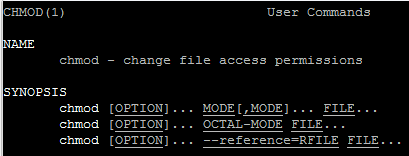
chmod u+x perlfile
[/perl]
at the UNIX prompt, where perlfile is the filename of the program (of course with .pl or .pm extension mostly). Now, to run the program, just type any of the following at the prompt.
[perl]
perl perlfile
[/perl]
If something goes wrong then you may get error messages, or you may get nothing. You can always run the program with warnings using the command
[perl]
perl -w progname
[/perl]
at the prompt. This will display warnings and other (hopefully) helpful messages before it tries to execute the program. To run the program with a debugger use the command
[perl]
perl -d progname
[/perl]
When the file is executed Perl first compiles it and then executes that compiled version. Unlike many other interpreted languages, Perl scripts are compiled first, helping you to catch most of errors before program actually starts executing. In this context, the -w switch is very helpful. It will warn you about unused variables, suspicious statements etc.
Visitor Rating: 5 Stars